Converse - React Live Chat Module with Agent Inbox and Customer Widget
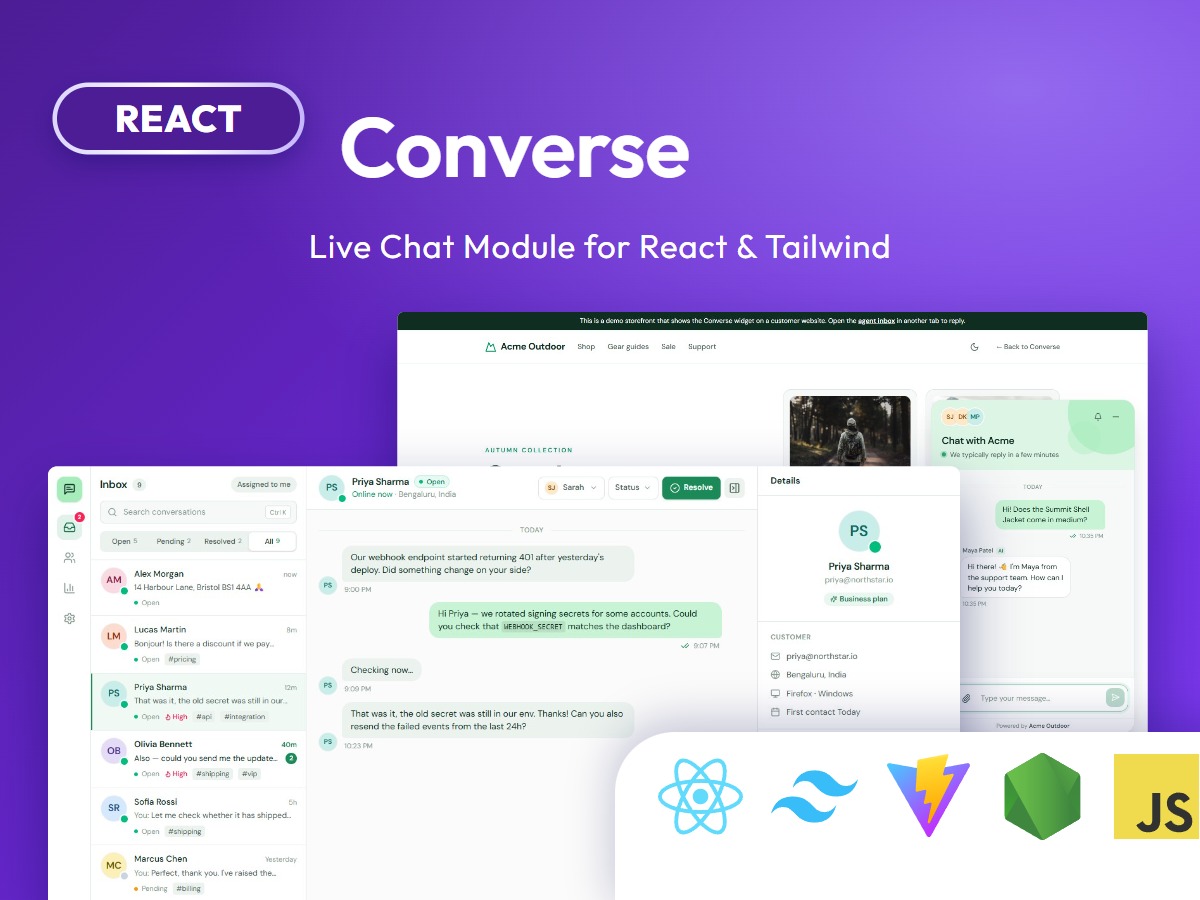
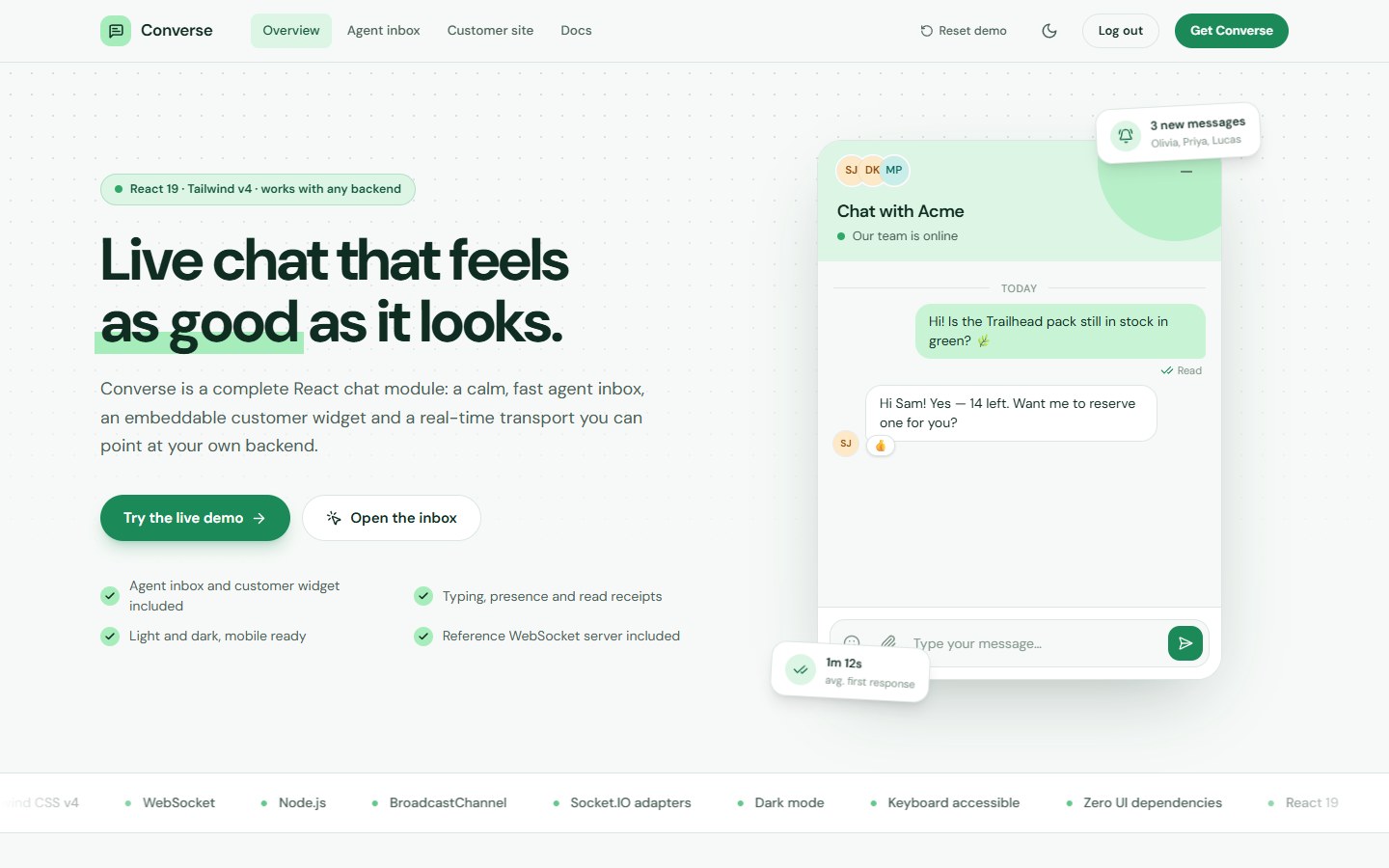
Converse is a complete live chat module for React. It gives you a three-pane agent inbox, an embeddable customer chat widget, customer and reports pages, settings, sign-in screens and a real-time transport you can point at your own backend, so you can ship customer support instead of building a chat from scratch.
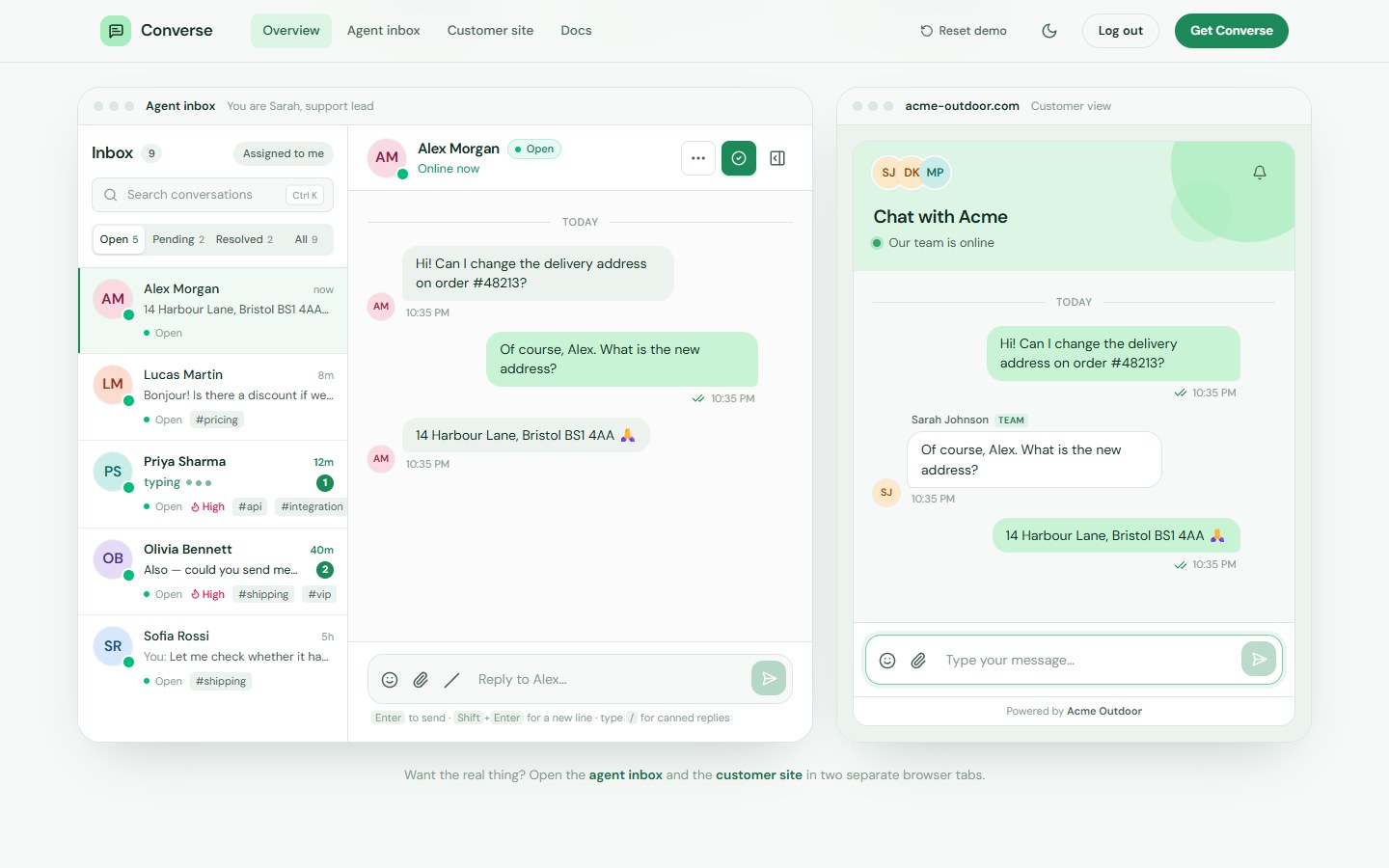
Want to try it first? Open the live demo, sign in with the demo account, and chat between the agent inbox and the customer site in two browser tabs.
What you get
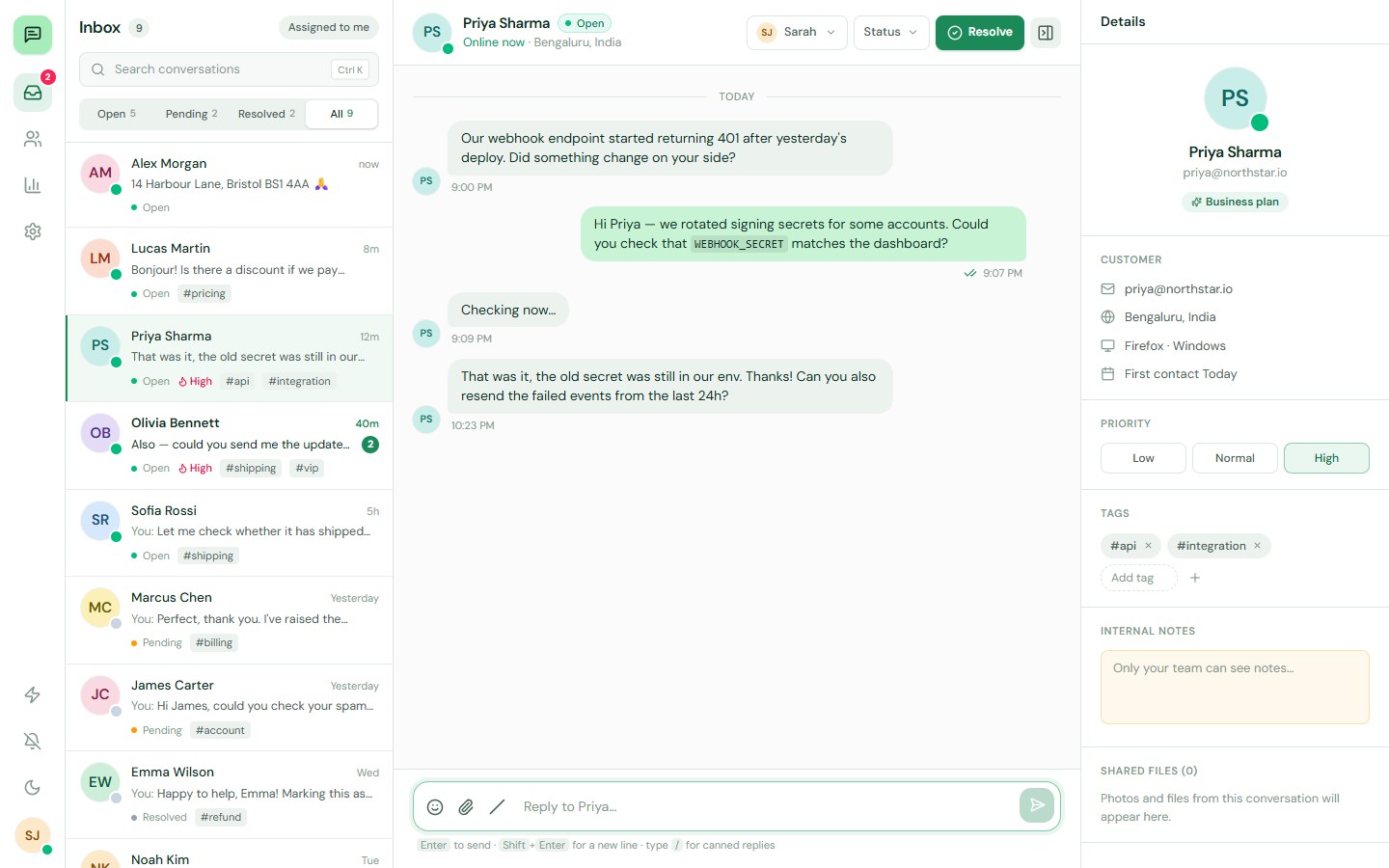
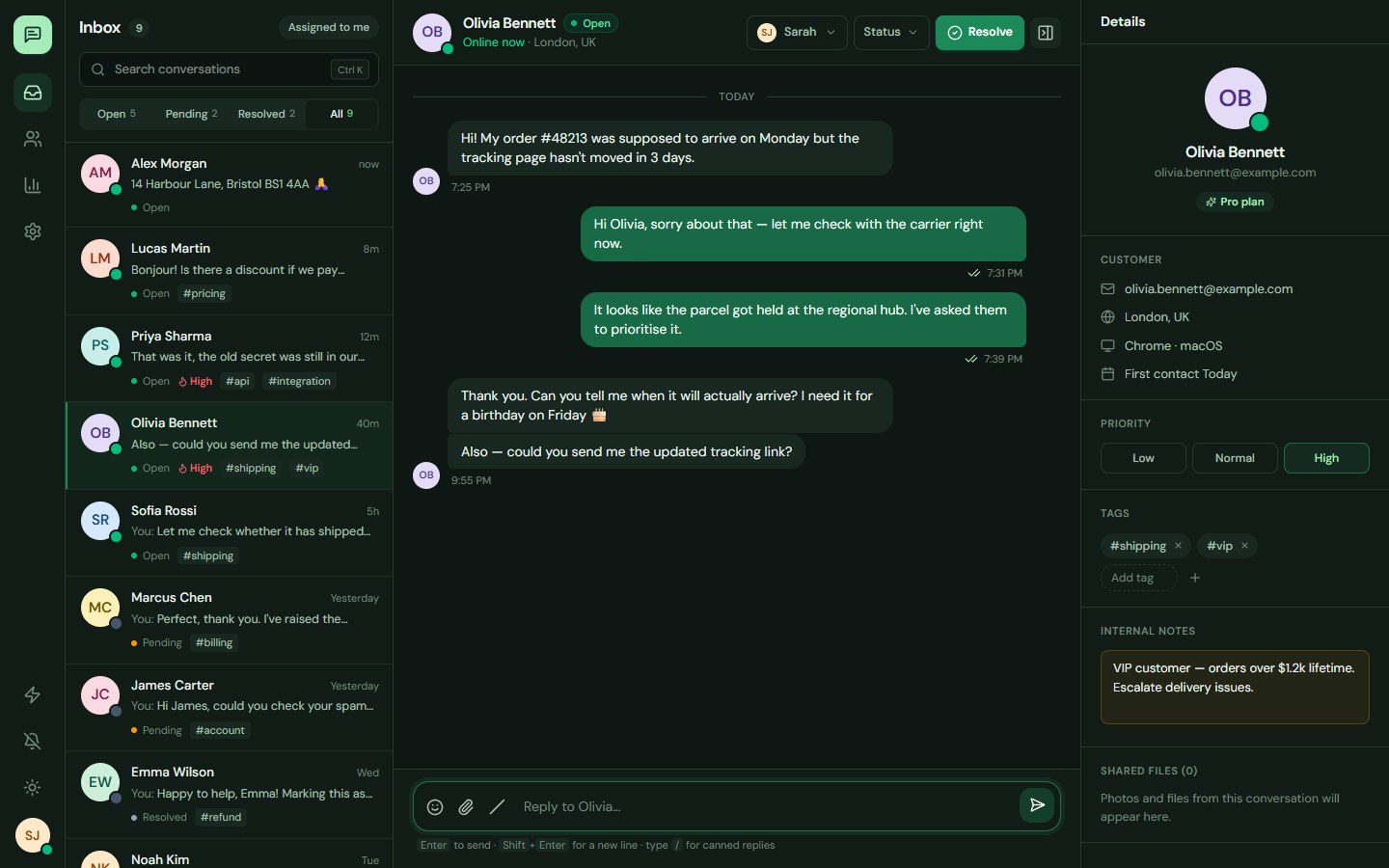
- Agent inbox with conversation list, thread, customer details, search, status tabs, assignment, priority, tags and private notes.
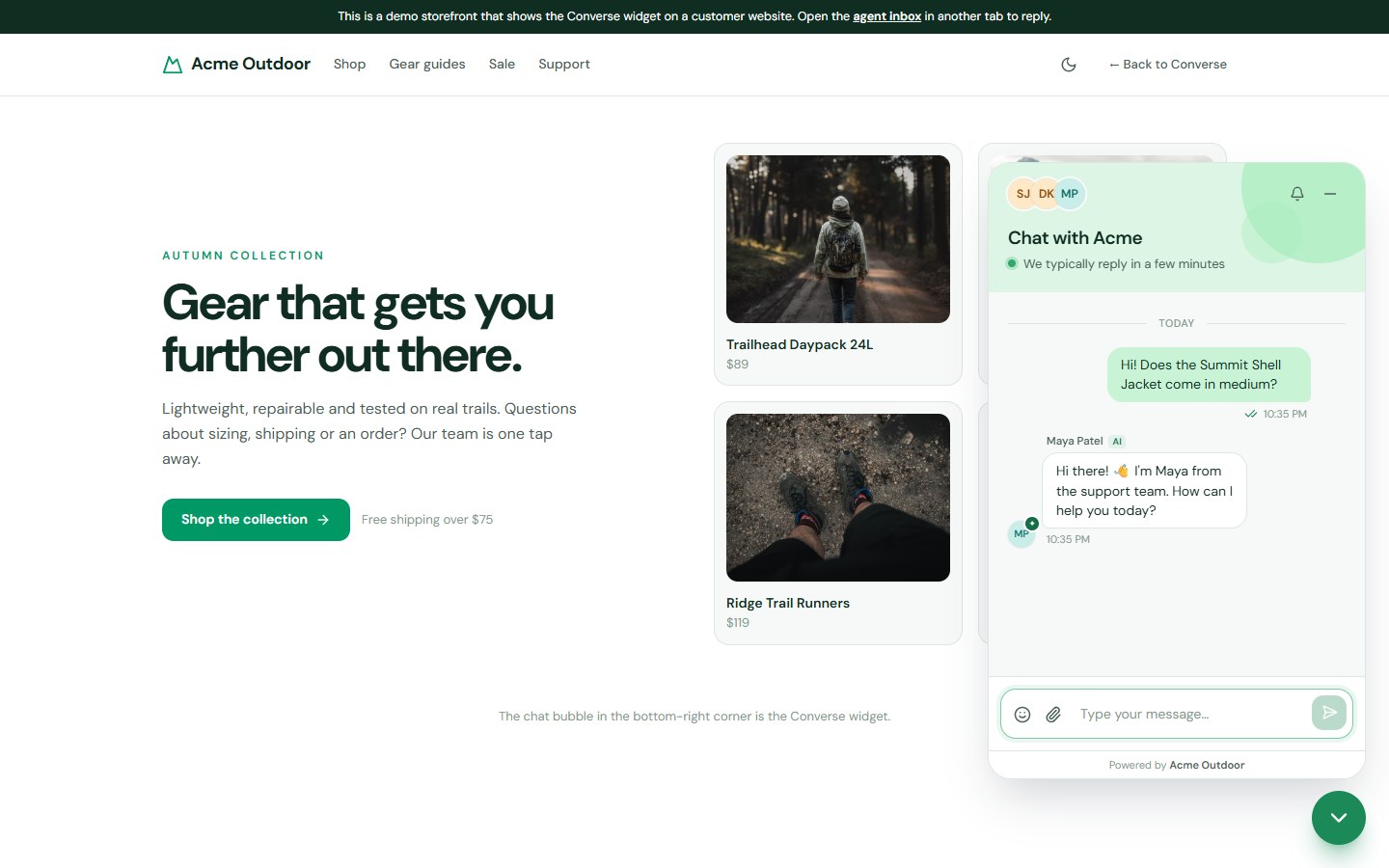
- Customer widget with a floating launcher, pre-chat form, quick replies, unread badge and an inline mode for your own layout.
- Real-time messaging with typing indicators, online presence and sent, delivered and read receipts.
- Rich conversations: reactions, replies, edit and delete, emoji picker, file attachments, drag and drop, pasted images and an image viewer.
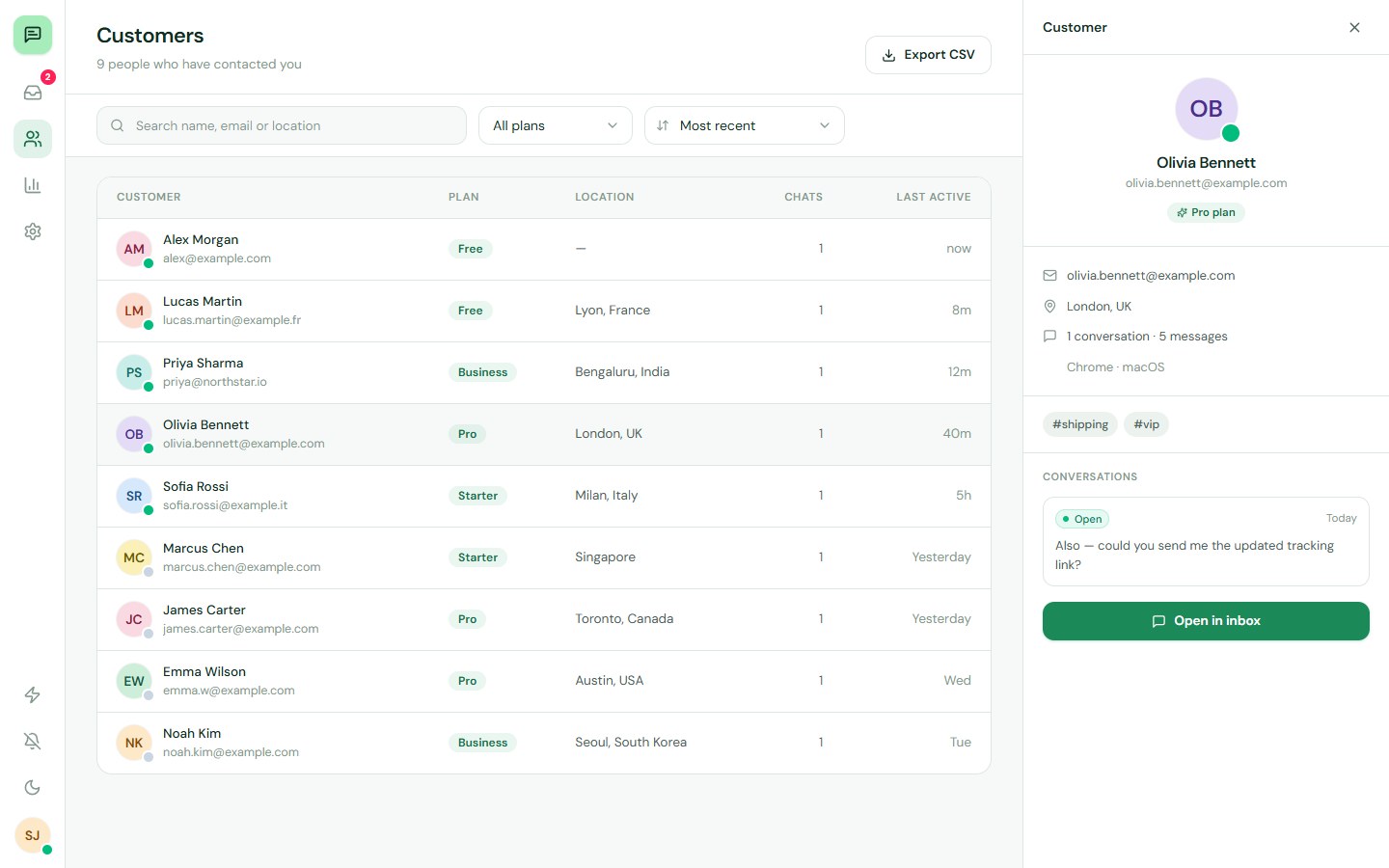
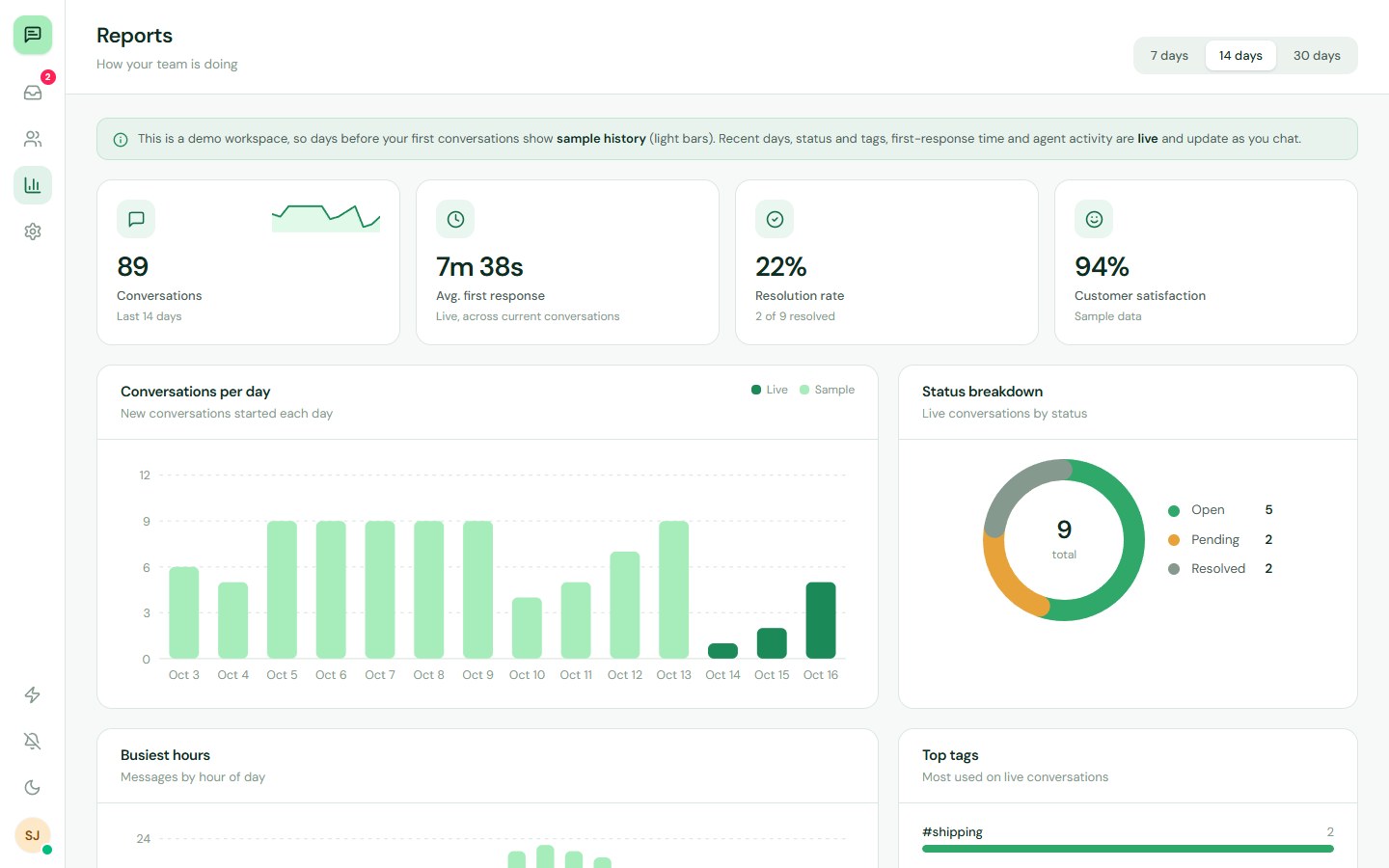
- Customers and reports pages with a searchable directory, CSV export, conversation volume, response time, resolution rate, busiest hours and team performance.
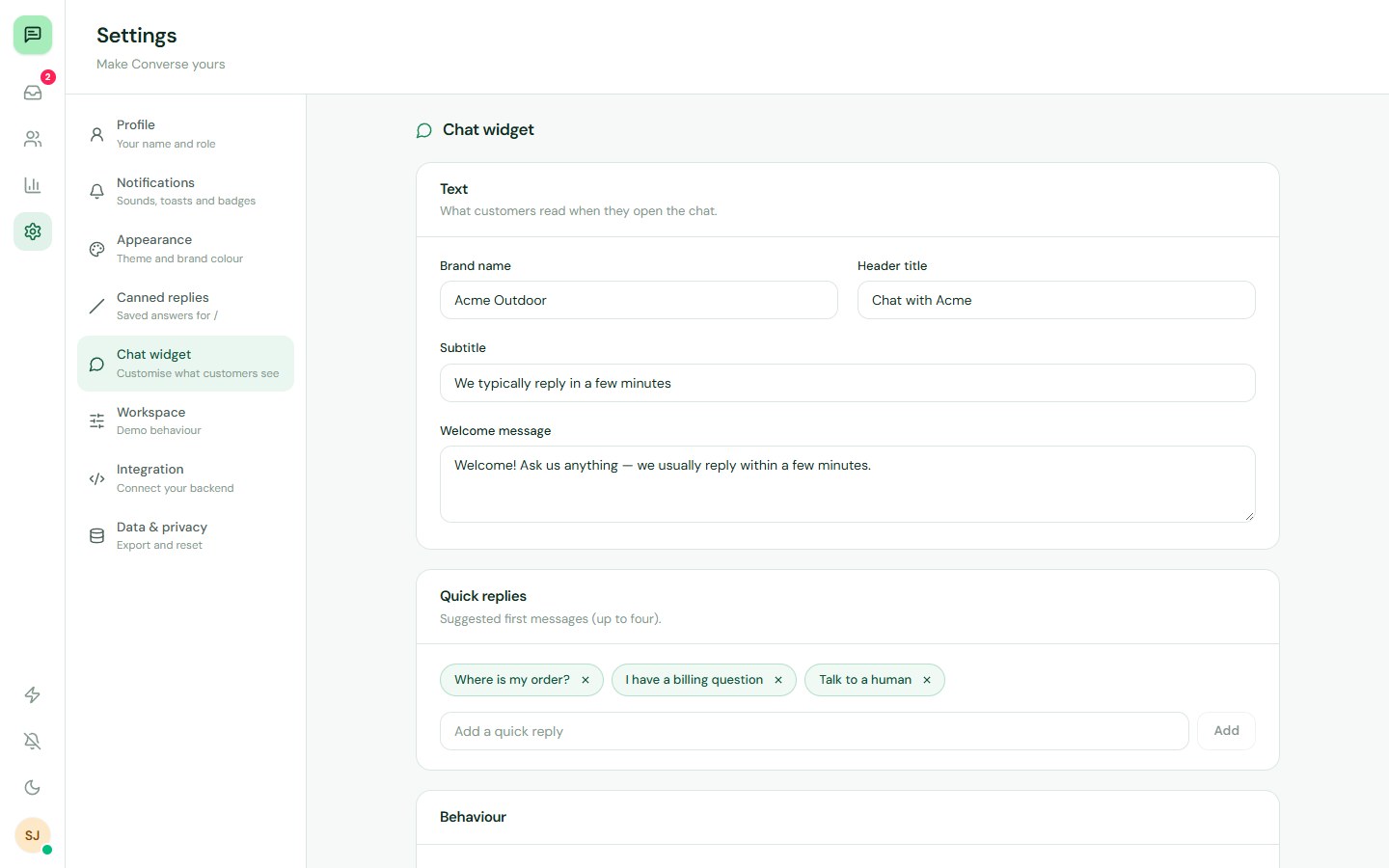
- Settings for profile, notifications, light and dark theme, five brand colours, canned replies and a widget editor with live preview.
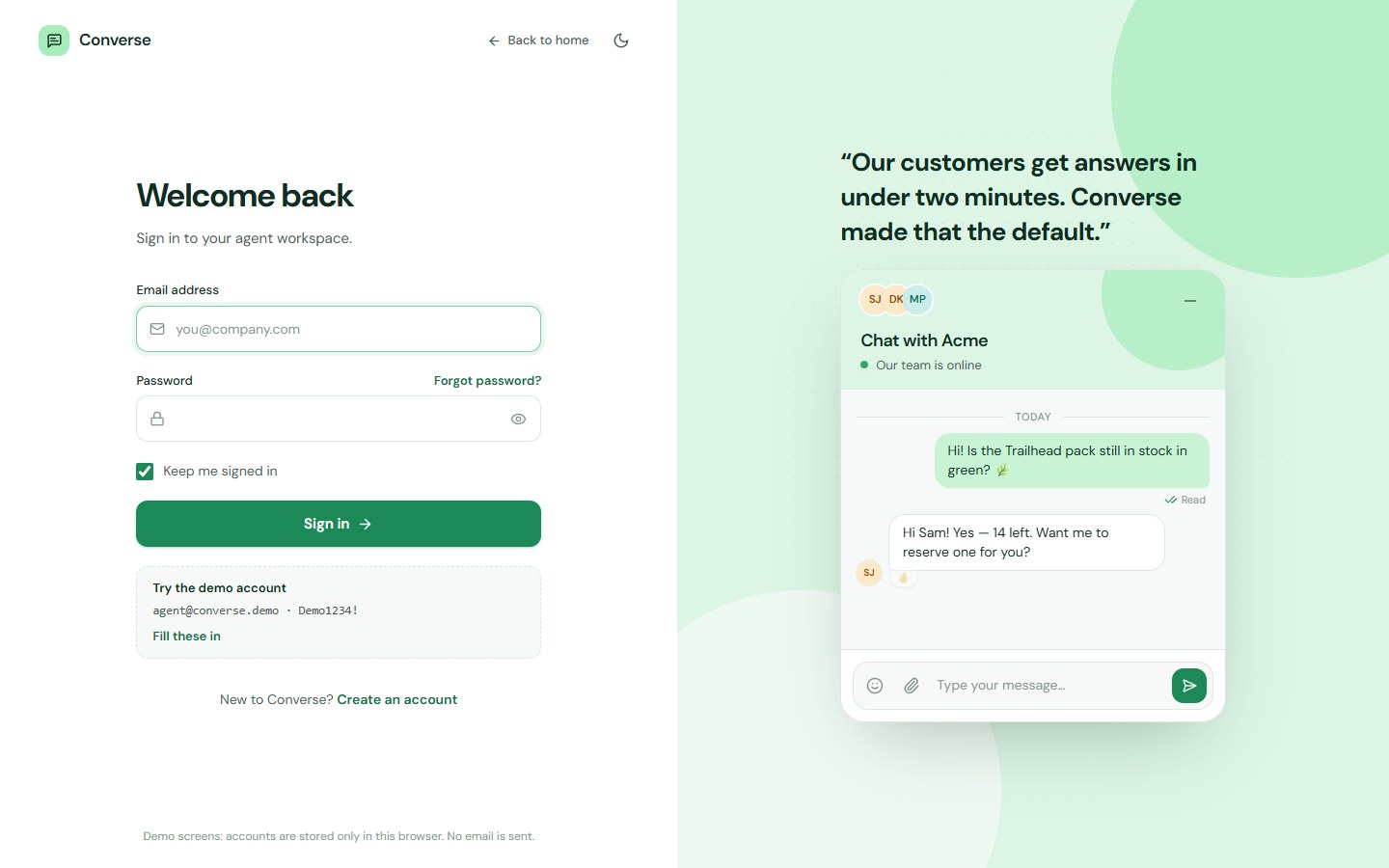
- Sign-in screens: login, register, email verification code, forgot password and reset password.
- Pluggable transport with a browser-only demo transport and a production WebSocket client.
The agent workspace
| Page | Route | What it does |
|---|---|---|
| Inbox | #/inbox | Conversation list, thread with composer, and a customer details panel |
| Customers | #/inbox/customers | Search, plan filter, sorting, per-customer history and CSV export |
| Reports | #/inbox/reports | KPI cards and SVG charts for volume, status, busiest hours, tags and agents |
| Settings | #/inbox/settings | Profile, notifications, appearance, canned replies, widget, workspace, integration and data |
Every screen has its own URL, a keyboard shortcut list opens with the question mark key, and the layout adapts to its container, so it works full screen, inside a card or on a phone with a bottom navigation bar.
The customer widget
- Floating launcher with an optional teaser message, or render the panel inline with
embedded - Pre-chat form for name and email, quick-reply suggestions and a welcome message you can edit
- Typing, read receipts, reactions, attachments and sound with a mute switch
- Brand name, title, subtitle, launcher side and colours set from Settings, with a live preview
Real-time and your backend
The chat talks to a small transport interface with four members: connect, disconnect, on and send. Two transports are included.
- LocalTransport keeps conversations in the browser and syncs every open tab, so the demo works without a server.
- WebSocketTransport speaks a documented JSON protocol, reconnects with backoff and keeps an offline queue.
- Reference server (
npm run server) is a short Node program that runs the same engine as the demo, with role-based visibility, presence and typing. Replace its in-memory state with your database.
Using Socket.IO, Pusher, Ably or Firebase instead? Write a small adapter that implements the same four members.
Built with
- React 19 and Vite 7
- Tailwind CSS v4 with design tokens for colour, surfaces and message bubbles
- Lucide icons, plus plain SVG for the charts
- No state library, no UI kit and no chart library
Get started
- Unzip the download and open the folder in a terminal (Node.js 20.19 or newer).
- Install the packages with
npm install. - Start the dev server with
npm run devand open the local address it prints. - Create the production files with
npm run buildand upload thedistfolder to any static host.
Hosting in a sub-folder? Build with VITE_BASE=/chat/ npm run build. The demo uses hash routes, so it needs no server rewrite rules.
Use it in your app
Copy the src/chat folder into your project and wrap the part of your app that needs chat in the provider. Use the inbox on your staff dashboard and the widget on your customer site.
ChatProvidertakes the signed-in identity and an optional transport.ChatInboxis the full agent workspace and sizes itself to its container.ChatWidgetis the customer chat, floating or embedded.- Hooks such as
useChatStateanduseChatActionslet you build your own screens.
Customise it
- Brand colour and theme: change the brand scale and surface variables in
src/index.css, or pick one of five presets in Settings. - Widget copy: edit the greeting, title, quick replies and launcher side in Settings, or pass them as props.
- Canned replies: add, edit and delete them in Settings, with the customer's name filled in automatically.
- Sign-in screens: replace the functions in
src/demo/auth.jswith calls to your own API.
What is demo only
The demo is built to be tried without a server, so a few parts are placeholders you replace before going live. Demo accounts and conversations live in the browser, the verification code and reset link are shown on screen instead of being emailed, a demo bot answers when no agent is online, and the older days in Reports use sample history. The included reference server and the production checklist in the docs show what to connect.
What is included
- Full React source code for the module, the demo pages and the sign-in screens
- Vite and Tailwind configuration with a lockfile for repeatable installs
- A reference WebSocket server with the shared chat engine
- A README and an in-app documentation page with the protocol and a production checklist
- A recorded animation of the chat in action
Photos and fonts
Demo product photography on the sample storefront comes from Pexels under the free Pexels License and is not part of the licensed module. The font, DM Sans, comes from Google Fonts under the SIL Open Font License.
See the license terms for what the Regular and Extended licenses cover.
- Three-pane agent inbox with search, status tabs, assignment, priority, tags and private notes
- Embeddable customer widget with launcher, pre-chat form, quick replies and unread badge
- Real-time typing indicators, online presence and sent, delivered and read receipts
- Reactions, replies, edit and delete, emoji picker, attachments, drag and drop and pasted images
- Customers directory with CSV export and Reports with SVG charts, no chart library
- Settings for profile, notifications, light and dark theme, five brand colours and canned replies
- Widget editor with live preview, plus login, register, email verification and password reset screens
- Pluggable transport: browser-only demo transport and a production WebSocket client with a reference Node server
- Responsive, keyboard accessible, ARIA live regions and reduced-motion support
Reviews
No reviews yet. Be the first to review this product!
Questions & answers (0)
Sign in to ask a question.
No questions yet. Be the first to ask!