Introduction
Multi-vendor marketplaces have become one of the most in-demand platform types on the web. They allow hundreds of independent sellers to list products, manage orders, and receive payouts — all through a single, centrally managed storefront. Think Amazon, Etsy, or a niche B2B marketplace tailored to a specific industry.
Laravel is the ideal foundation for this kind of platform. Its expressive MVC architecture, first-class authentication, Eloquent ORM, and Artisan tooling make it straightforward to model the complex relationships a marketplace requires — vendors, shops, products, orders, commissions, withdrawals, and reviews.
In this guide you will walk through every major step: defining requirements, setting up the data model, implementing role-based access control, integrating multiple payment gateways, building a REST API for mobile clients, locking down security, and shipping to production. At the end you will also see how VendorHive — a drop-in Laravel marketplace package by Gambolthemes — lets you skip the boilerplate entirely and focus on your business logic from day one.
Why Laravel for a Multi-Vendor Marketplace?
- Clean MVC architecture — separates marketplace modules cleanly across controllers, services, and views
- Eloquent ORM — expressive, readable model relationships (vendor → products → orders) with minimal SQL
- Built-in auth scaffolding — guards, middleware, and policies handle multi-role access without third-party packages
- Migration & seeding system — version-controlled schema changes and repeatable test data setup
- Queue & event system — dispatch email notifications, commission calculations, and payout jobs asynchronously
- First-class API support — Sanctum or Passport for token-based authentication; route groups for versioned REST endpoints
- Massive ecosystem — thousands of Composer packages covering every integration you will ever need
- Laravel 10, 11, 12 support — the framework is actively maintained with a predictable LTS roadmap
Marketplace Architecture Overview
Before writing a single line of code, sketch out the three distinct user surfaces your platform must serve:
- Admin panel — platform owner controls: vendor approvals, product moderation, commission rules, withdrawal processing, coupons, CMS pages, and reporting
- Vendor dashboard — seller controls: shop profile, product CRUD, order management, commission tracking, and withdrawal requests
- Customer storefront — buyer experience: homepage, product browsing, cart, checkout, order history, wishlists, and reviews
Each surface maps to its own route group, middleware stack, and Blade layout. Keeping them separated at the routing level prevents privilege escalation bugs and makes future feature work predictable.
Step 1: Define Your Feature Set
Lock down a minimal viable feature list before touching the database schema. Adding a column later is cheap; redesigning a normalized relationship after data is in production is not.
Core (must-have at launch)
- Vendor registration with admin approval workflow
- Product catalog — categories, images, pricing, stock quantity
- Shopping cart and checkout
- Order lifecycle (pending → processing → shipped → delivered)
- Payment capture with gateway verification
- Commission deduction and vendor earnings ledger
- Withdrawal request and admin payout approval
- Admin dashboard with sales and revenue reports
Growth (add post-launch)
- Coupon and discount engine
- Product reviews and ratings
- Customer wishlist
- REST API for iOS/Android mobile apps
- Webhook notifications for order events
- SEO-friendly CMS pages
Pro tip: ship the core, gather real seller and buyer feedback, then prioritize growth features by demand.
Step 2: Create the Laravel Project
composer create-project laravel/laravel marketplace
cd marketplace
php artisan key:generate
Edit .env with your database credentials, then run the initial migration to create the
users, password_reset_tokens, and sessions tables:
php artisan migrateAt this point your project structure is clean and ready for marketplace-specific modules. Resist the urge to add everything at once — model each domain in isolation and wire it together incrementally.
Step 3: Design the Database Schema
A marketplace's schema is more complex than a standard e-commerce site because every transactional record must link back to the correct vendor for commission and payout calculations. The minimum table set you need:
- users — single users table with a
rolecolumn (admin | vendor | customer) - vendors — vendor profile data (tax info, payout method preferences)
- shops — the public-facing store (slug, banner, payout details like PayPal email or bank account)
- categories — hierarchical or flat product taxonomy
- products — SKUs owned by a vendor; includes approval status, price, stock, and slug
- orders — one order per checkout session; tracks payment status and fulfilment status
- order_items — one row per product per order; links back to both vendor and product
- payments — raw payment gateway records (transaction ID, gateway, amount, status)
- commissions — per-order-item ledger rows;
gross_amount,commission_amount,vendor_earnings - withdrawals — vendor payout requests with amount, method, and status
- reviews — star rating and text linked to a product and customer
- wishlists — customer–product pivot
- coupons — discount codes with type, value, usage limits, and expiry
- pages — CMS pages for About, Terms, Privacy etc.
- settings — key-value store for platform-wide configuration like site name, payment keys, and commission rate
Keep foreign-key constraints strict. An order item must always reference a valid product and a valid vendor. Silent nulls in commission records will cause payout discrepancies that are painful to audit.
Step 4: Implement Role-Based Authentication
Use a single role enum column on the users table and protect each panel
with a dedicated middleware class. This is cleaner than a permissions library for a fixed three-role system:
// Add to your users migration
$table->enum('role', ['admin', 'vendor', 'customer'])->default('customer');
Register three middleware aliases in your service provider or bootstrap/app.php:
// AdminMiddleware — redirects unless auth()->user()->role === 'admin'
// VendorMiddleware — redirects unless role === 'vendor'
// CustomerMiddleware — redirects unless role === 'customer'
Then group your routes so each panel is locked behind its middleware:
Route::prefix('admin')->middleware(['web', 'auth', 'marketplace.admin'])
    ->group(function () {
        // Admin panel routes
    });

Route::prefix('vendor')->middleware(['web', 'auth', 'marketplace.vendor'])
    ->group(function () {
        // Vendor dashboard routes
    });
Implement separate login paths if you want distinct UX for vendors vs. customers, or use a single
login form that redirects based on $user->role after authentication.
Step 5: Build the Vendor Dashboard
The vendor dashboard is your platform's most important retention tool. Sellers will judge your marketplace entirely on how easy it is to manage their shop here. Build these modules first:
- Shop profile — name, description, banner image, slug, payout details (PayPal email, bank account, IFSC/routing number)
- Product CRUD — add/edit/delete products with images, category, price, and stock; show approval status badge when moderation is enabled
- Order management — list orders containing the vendor's products; allow status updates (processing, shipped)
- Commission ledger — per-order breakdown of gross amount, platform commission, and net vendor earnings
- Withdrawal requests — show available balance, enforce minimum threshold, let vendors choose payout method and submit requests
- Reviews — view customer ratings on their products
One critical detail: vendors should only ever see their own data. Scope every query to the authenticated vendor's ID — never rely on a hidden form field or URL parameter alone.
Step 6: Build the Customer Storefront
Conversion lives or dies on the storefront. Prioritize these experience elements:
- Homepage — featured categories, promotional banners, and highlighted products
- Product listing — pagination, category filter, price range filter, and sort by newest/price/rating
- Product detail page — gallery, description, vendor shop link, star rating summary, and individual reviews
- Shop page — vendor's public store with their full product catalog and shop info
- Cart — session-based or database-backed; handle multi-vendor cart (products from different sellers in one order)
- Checkout — shipping address, coupon code input, payment method selection, and order summary
- Customer dashboard — order history with status, wishlist management, and profile settings
Keep page weight low. Lazy-load product images and paginate lists rather than loading all records. Test on mobile at every stage — the majority of marketplace traffic is mobile.
Step 7: Integrate Payments and Automate Commissions
Payment integration is where most marketplace builds slow down. Plan for at least two gateways: something global (Stripe or PayPal) and a regional option (Razorpay for South Asia, for example), plus Cash on Delivery for markets where card penetration is lower.
Server-Side Payment Verification
Never trust a client-side success callback alone. After the user returns from the gateway, call the gateway's verification API server-side and only mark the order as paid if the response confirms a successful, non-duplicate transaction for the correct amount.
// Verify before marking paid
$verified = $paymentGatewayService->verify($request->transaction_id, $order->total);
if ($verified) {
    $order->update(['payment_status' => 'paid']);
    $commissionService->creditVendorsForOrder($order);
}
Commission Calculation
Commission should be calculated per order item, not per order, because a single order can contain products from multiple vendors each potentially with a different commission rate. A typical ledger row stores:
gross_amount— the item subtotal paid by the customercommission_rate— the rate that applied at the time of sale (snapshot it, don't reference live config)commission_amount— gross × ratevendor_earnings— gross minus commission
Withdrawal Flow
- Customer payment verified and captured
- Commission service credits per-vendor earnings via commission rows
- Vendor's available balance accumulates over time
- Vendor submits a withdrawal request once balance exceeds the minimum threshold
- Admin reviews and approves or rejects the request
- Admin processes the actual payout via PayPal mass-pay, bank transfer, or another method
- Withdrawal record updated to
completed; vendor balance decremented
Step 8: Build a REST API for Mobile Apps
Most marketplaces eventually need a mobile app. Design your API from the start so you are not
retrofitting it later. Use versioned route groups under /api/v1/ and protect
authenticated endpoints with Laravel Sanctum token auth.
Minimum API surface for a marketplace
POST /api/v1/register— create a customer account, return tokenPOST /api/v1/login— return Sanctum tokenGET /api/v1/products— paginated product list with optional category/search filtersGET /api/v1/products/{slug}— single product detail with vendor info and reviewsGET /api/v1/categories— full category list for navigation menusPOST /api/v1/cart/add— add item to cart (authenticated)POST /api/v1/checkout— place order and initiate payment (authenticated)GET /api/v1/orders— customer order history (authenticated)
Return consistent JSON envelopes (data, message, status)
and use HTTP status codes meaningfully. Document with OpenAPI/Swagger even if only for internal use —
mobile developers will thank you.
Step 9: Admin Controls and Reporting
A healthy marketplace requires active platform governance. Your admin panel must give the platform owner full visibility and control:
- Vendor management — review registrations, approve or reject, suspend vendors without deleting their data
- Product moderation — approve or reject products when product approval is enabled; flag policy violations
- Order oversight — view all orders across all vendors; filter by payment status, fulfilment status, and date range
- Withdrawal processing — approve/reject requests, record payout references, mark as completed
- Commission configuration — set global rate; optionally override per-vendor
- Coupon management — create percentage or fixed-amount discount codes with usage limits and expiry dates
- CMS pages — create and edit static pages (About, Terms of Service, Privacy Policy) without developer involvement
- Settings — toggle payment gateways, update API keys, change site name and currency from a UI rather than re-deploying
.env - Reports — total sales, revenue, commission earned, vendor performance, and top-selling products
Step 10: Security and Performance
Security checklist
- Validate and sanitize every form input server-side — never trust the client
- Use Laravel's built-in CSRF protection on all state-changing routes
- Apply rate limiting to login, registration, and checkout endpoints to resist brute-force and abuse
- Scope all vendor queries to
auth()->user()->vendor->id— prevent horizontal privilege escalation - Hash all sensitive values (payment keys, withdrawal account numbers) and never log them
- Enable HTTPS and set
SESSI> in production
Performance checklist
- Eager-load relationships to eliminate N+1 queries (
with(['vendor', 'category', 'images'])) - Cache homepage and category pages with
Cache::remember()— they are read far more than written - Queue commission calculations and email notifications so checkout response time stays fast
- Paginate all listing endpoints — never return unbounded result sets
- Use database indexes on
vendor_id,product_id,order_id, andstatuscolumns
Step 11: Testing and QA
Marketplace money flows are the highest-risk area. Write automated tests before shipping anything to production:
- Feature tests — full HTTP lifecycle: add to cart → checkout → payment verification → commission credit → vendor balance update
- Unit tests — commission calculation logic (fixed vs. percentage, edge cases like zero-price items)
- Role access tests — assert a customer cannot access
/admin/or/vendor/routes and vice versa - Payment verification tests — mock the gateway SDK; test both successful and failed verification paths
- Withdrawal tests — below-minimum request is rejected; approved request decrements balance correctly
Run php artisan route:list after each major change and verify every route resolves to the correct controller and middleware.
Step 12: Deploy and Launch
Run through this checklist before switching on public traffic:
- Server — Nginx or Apache, PHP 8.1+, MySQL/PostgreSQL; configure
php.iniupload limits for product images - SSL — Let's Encrypt or a commercial certificate; force HTTPS at the web server level
- Environment — set
APP_ENV=production,APP_DEBUG=false, and proper database credentials in.env - Cache & queues — run
php artisan config:cache,route:cache,view:cache; start a queue worker with Supervisor - Backups — daily automated database dumps to off-site storage (S3 or similar)
- Monitoring — application error tracking (Sentry or Flare) and uptime monitoring
- Email — configure a transactional mail provider (Mailgun, SES, Postmark) for order confirmation and payout notifications
- SEO — canonical URLs, meta descriptions, an XML sitemap, and a
robots.txt
Skip the Boilerplate: Launch Faster with VendorHive
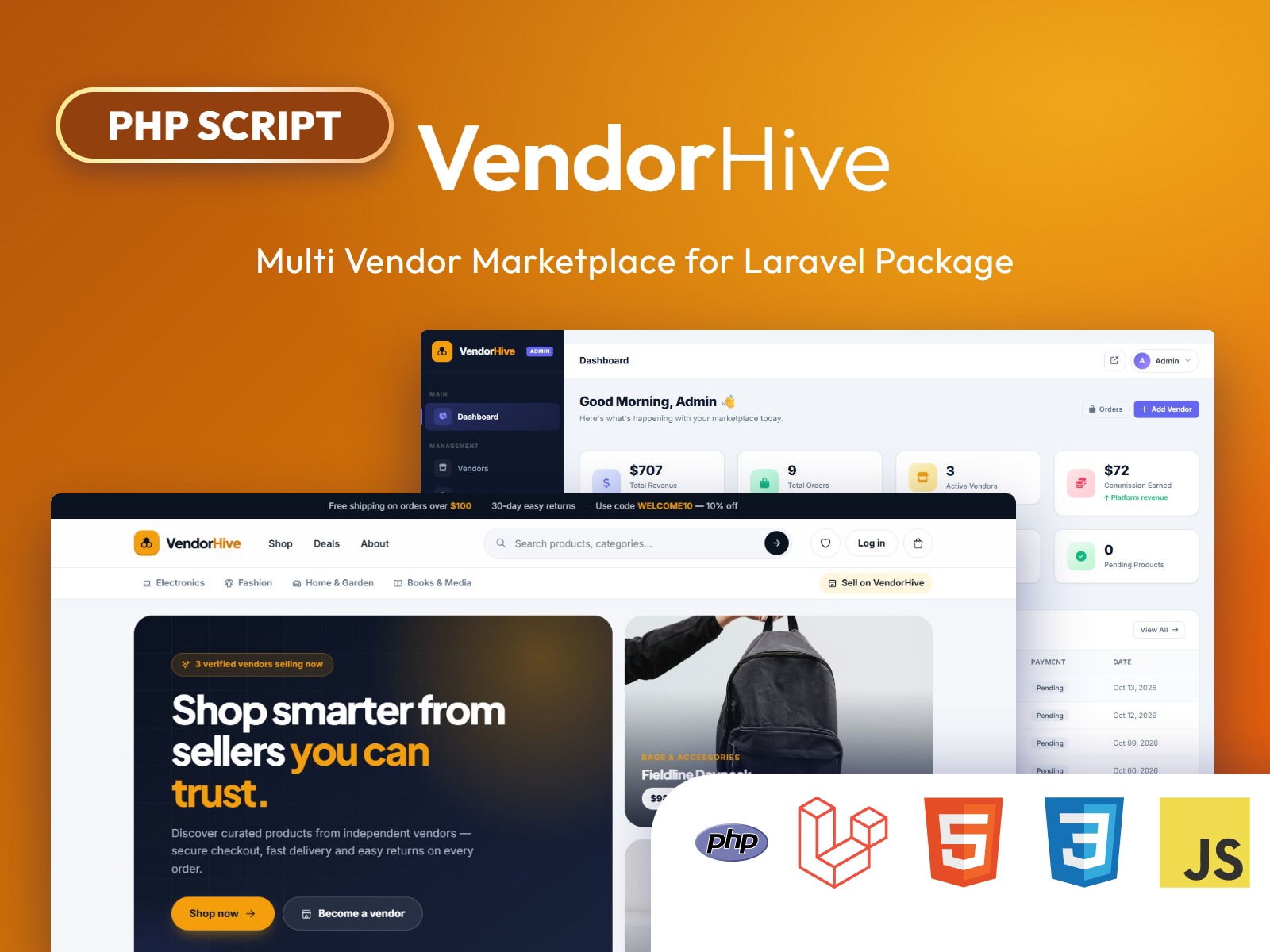
Everything described above — all 12 steps — is already built, tested, and ready to install as VendorHive, a production-ready multi-vendor marketplace package for Laravel 10, 11, and 12, built by Gambolthemes.
What VendorHive includes out of the box
- 14 migrations auto-loaded on install — categories, vendors, shops, products, coupons, orders, order items, payments, commissions, withdrawals, reviews, wishlists, pages, and settings
- 15 Eloquent models with all marketplace relationships pre-wired
- 117 named routes across admin, vendor, customer, and API route groups
- Three dedicated middleware (
vendorhive.admin,vendorhive.vendor,vendorhive.customer) for strict role enforcement - 10 admin controllers — dashboard, categories, products, orders, vendors, coupons, withdrawals, pages, settings, and reports
- Multi-gateway payments — COD, Stripe, PayPal, and Razorpay; each non-COD gateway is server-verified before marking orders as paid
- CommissionService singleton — inject it anywhere to calculate commissions or credit all vendors for a completed order
- Built-in REST API — authentication (register/login) and product endpoints ready for your mobile app at
/api/v1/vendorhive/ - Fully override-able — publish views, config, migrations, or seeders with a single Artisan command
- VendorHiveHelper utilities —
formatPrice(),currency(),setting(),minimumWithdrawal(), and more
Install in four commands
composer require gambolthemes/vendorhive
php artisan vendor:publish --tag=vendorhive-config
php artisan migrate
php artisan db:seed --class=Gambolthemes\\VendorHive\\Database\\Seeders\\AdminSeeder
Log in with admin@vendorhive.com / 12345678, enable your payment gateways under
Admin → Settings → Payment, and your marketplace is live.
Customize the Blade views by publishing them (php artisan vendor:publish --tag=vendorhive-views),
swap in your own layouts via config/vendorhive.php, and adjust the commission rate,
currency, withdrawal minimum, and route prefixes to match your business model —
all without touching the package source.
Get VendorHive at Gambolthemes.net →
Conclusion
Building a multi-vendor marketplace in Laravel is entirely achievable — but it is a significant engineering investment. The data model alone spans 15 entities with strict relational integrity requirements, and the payment and commission flows demand careful, tested implementation to avoid costly payout errors.
Whether you are building from scratch to learn the craft or shipping a commercial product on a deadline, the architecture principles in this guide will serve you well: clean role separation, scoped data access, server-side payment verification, immutable commission ledgers, and incremental feature releases.
If you want the entire foundation — admin panel, vendor dashboard, storefront, payment gateways, commission engine, withdrawal system, and REST API — already built and waiting for your branding, VendorHive is the fastest way to get there.
Ready-Made Laravel Multi Vendor Marketplace Script
If you want to skip development from scratch, you can use our production-ready Laravel multi vendor marketplace script with built-in vendor dashboard, commission system, and payment gateway integration.